There is a frustratingly common problem in the digital world: you have a PDF — a report, a flyer, a scanned contract — and you just need it as an image. Maybe you want to post it on social media, embed it in a presentation, or share a single page with someone who doesn't have a PDF reader. The options are usually either clunky desktop software, ad-riddled online tools, or paywalled apps that demand a subscription for what should be a five-second task.
Enter FreePDFtoImage.com — a refreshingly honest tool that does exactly what its name says, for free, without making you jump through hoops. I tested it out and here's everything you need to know.
What Is FreePDFtoImage.com?
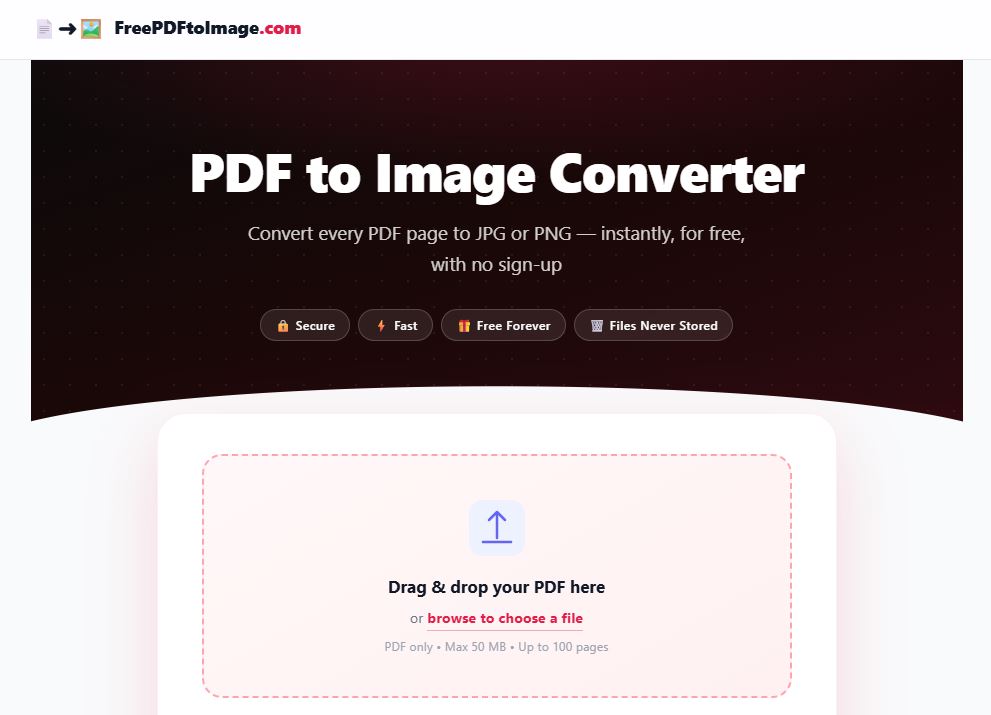
FreePDFtoImage.com is a browser-based online utility that converts PDF documents into high-quality image files — specifically JPG and PNG formats. There is no software to install, no account to create, and no watermark applied to your output. You upload your PDF, choose your settings, and download your images. That's the whole experience.
The tool is built to handle documents up to 50 MB in size and supports PDFs of up to 100 pages, making it capable enough for both casual users converting a one-pager and professionals dealing with longer documents.
Who Built It? Meet Besant.ca
The tool is developed by Besant.ca, a Canadian web development studio. Besant.ca brings a clean, developer-first philosophy to its projects — evident in how FreePDFtoImage.com is built: no unnecessary bloat, sensible defaults, and a focus on user privacy.
It's always a good sign when a useful free tool comes from a real, identifiable developer rather than an anonymous operation. Besant.ca's authorship adds a layer of accountability and trust that many similar tools on the web simply don't offer.
Developer: Besant.ca
Tool URL: freepdftoimage.com
Price: 100% Free | Account required: No | Watermarks: None
Who Is This Tool For?
FreePDFtoImage.com isn't trying to be everything. It does one job and does it well. Here are the situations where it shines:
- Social media managers who need to share a PDF flyer or infographic on Instagram, Facebook, or X (which don't accept PDF uploads).
- Small business owners converting invoices, menus, or product catalogs into shareable image formats.
- Students and educators extracting slides or pages from PDF textbooks for presentations or class notes.
- Designers and marketers who need a quick image preview of a PDF document for mockups or thumbnails.
- Anyone who has ever typed "convert PDF to JPG online free" into a search engine and landed on a site riddled with ads — this is the clean alternative.
How to Use It — Step by Step
Step 1 — Open the Tool
Navigate to freepdftoimage.com in any modern browser on desktop or mobile. No installation, no login.
Step 2 — Upload Your PDF
Click the upload area or drag and drop your PDF file directly onto the page. Files up to 50 MB and 100 pages are supported. Note: password-protected PDFs will need to have their password removed beforehand using a tool like Adobe Acrobat.
Step 3 — Choose Your Settings
Select your preferred output format — JPG or PNG — and choose your DPI. For most web and sharing purposes, 150 DPI is an ideal balance of quality and file size. For print, go with 300 DPI.
Step 4 — Convert & Download
Hit convert and your images will be ready in moments. Download individual pages or grab them all at once. Done.
What We Like (And One Limitation)
The DealDeal team is genuinely impressed by the restraint on display here. No ads, no pop-ups, no "upgrade to premium" interruptions. The DPI selector is a thoughtful touch that separates this from more basic converters. Privacy is taken seriously — your files are not retained.
The one limitation worth noting: password-protected PDFs are not supported. If your document is locked, you'll need to remove the password using another tool before uploading. It's a minor inconvenience, and a reasonable security boundary for a free service.
Final Verdict
FreePDFtoImage.com earns a spot in your browser bookmarks. It is fast, clean, free, and built by a real developer — Besant.ca — who has clearly thought about what users actually need without padding the experience with unnecessary friction or monetization tactics.
In a landscape cluttered with PDF tools that over-promise and under-deliver, this one does the opposite. It promises very little, then delivers exactly that — quickly, cleanly, and for free.
Whether you're a student, a small business owner, a content creator, or just someone who occasionally needs to extract a page from a PDF, FreePDFtoImage.com is worth keeping in your toolkit.
Check out the full details at the source.